
Why an AI-Ready Tech Stack Matters for Modern Businesses
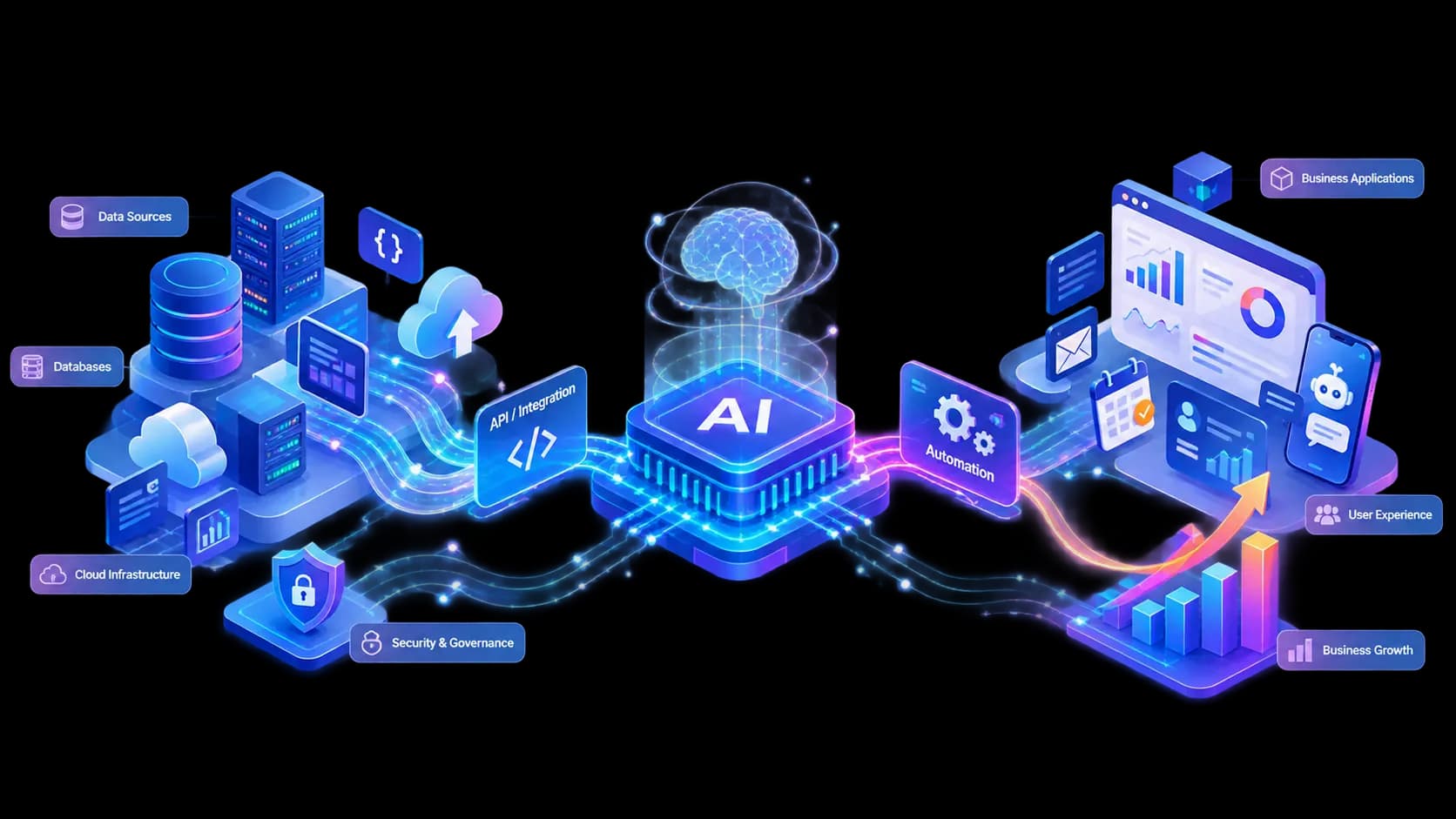
Discover how businesses can build an AI-ready technology foundation using reliable data, scalable infrastructure, APIs, automation, and secure AI integrations.
Why an AI Ready Tech Stack Matters for Modern Businesses
AI is changing the way businesses build products, serve customers, and manage everyday operations. But adding an AI model to an existing application is not enough.
The real challenge is creating a technology setup where AI can work smoothly with your existing data, backend, APIs, and business processes.
That is what an AI ready tech stack is all about.
It gives a business the flexibility to introduce AI today while keeping the product ready for whatever comes next.
AI Is Becoming Part of the Product
A few years ago, AI was usually treated as an additional feature.
Today, that approach is changing.
AI can be part of the actual product experience. A customer can talk to an application instead of filling out a long form. An employee can ask questions about internal documents without searching through folders. A business can automatically process messages, classify leads, summarize information, or trigger workflows.
The important thing is not to use AI everywhere.
The important thing is to find the places where it genuinely makes the product better.
What Does an AI Ready Tech Stack Look Like?
You do not need hundreds of new tools to make an application AI ready.
A strong foundation is usually more important than having the latest technology in every part of the stack.
1. Start With Good Data
AI needs information to work with.
If your customer data is scattered across different systems, outdated, or poorly structured, even a powerful AI model will struggle to give useful results.
A good foundation includes:
- Clean and structured data
- Reliable databases
- Consistent data models
- Proper access permissions
- Well designed APIs
- Clear data ownership
Think of it this way:
Better data gives AI better context. Better context leads to better results.
This is one of the reasons businesses should think about their data architecture before jumping into advanced AI features.
2. Build Around APIs
APIs make it possible for different parts of your technology stack to communicate with each other.
Your application might need to connect with an AI model, CRM, payment system, analytics platform, or automation service.
A well designed API layer keeps these connections organized.
For example:
Customer
   ↓
Application
   ↓
Backend API
   ↓
AI Service
   ↓
Business Logic
   ↓
CRM / Database / Other Tools
This approach also makes future changes easier. If you decide to replace one AI provider later, you should not have to rebuild the entire application.
3. Make the Backend Ready for AI Workloads
Traditional application requests are often quick.
A user clicks a button, the server processes the request, and the result comes back.
AI workflows can behave differently.
Some requests may take longer. Some may involve multiple services. Others may need background processing or external APIs.
A scalable backend can handle this with tools such as:
- Background jobs
- Queues
- Caching
- Rate limiting
- Monitoring
- Logging
- Scalable infrastructure
A simple architecture might look like this:
                 ┌─────────────────┐
                 │   Web / Mobile  │
                 │    Application  │
                 └────────┬────────┘
                          │
                          ▼
                 ┌─────────────────┐
                 │   Backend API   │
                 └────────┬────────┘
                          │
             ┌────────────┼────────────┐
             ▼            ▼            ▼
        ┌─────────┐  ┌──────────┐  ┌──────────┐
        │ Database│  │ AI Model │  │  Queue   │
        └─────────┘  └────┬─────┘  └────┬─────┘
                          │             │
                          └──────┬──────┘
                                 ▼
                         ┌──────────────┐
                         │ Business APIs│
                         └──────────────┘
The architecture does not need to be complicated from day one. It simply needs to leave room for growth.
4. Keep Security at the Center
This is where AI projects often become more complicated.
An AI system may have access to customer information, internal documents, company processes, or business tools.
That access needs to be controlled.
Before giving an AI system permission to perform an action, ask three simple questions:
What information can it access?
What actions can it perform?
Which actions should require human approval?
For example, an AI assistant might be allowed to read customer information and prepare an email, but sending an important financial document could still require approval from an employee.
Good AI systems are not just intelligent. They are predictable, controlled, and secure.
Where AI Can Actually Help a Business
There are many possible use cases, but businesses should start with problems rather than technology.
Customer Support
AI can handle common questions, summarize conversations, classify requests, and forward complicated issues to the right team.
Internal Knowledge
Employees often spend a surprising amount of time looking for information.
An internal AI assistant can help employees find answers across documentation, policies, product information, and internal knowledge.
Business Automation
AI becomes particularly useful when a workflow involves unstructured information.
For example:
Customer Message
       ↓
Understand Request
       ↓
Extract Important Information
       ↓
Apply Business Rules
       ↓
Update CRM
       ↓
Notify Team
Instead of manually reading every message and updating multiple systems, the workflow can handle much of the repetitive work automatically.
Personalized Experiences
AI can also help applications understand user preferences and behavior.
This can be used for recommendations, personalized content, smarter search, and more natural interactions.
AI Agents Are Not the Same as Traditional Automation
Traditional automation usually follows predefined rules.
For example:
If payment is successful
        ↓
Send confirmation email
There is nothing wrong with this approach. In fact, rule based automation is often the best choice when the process is predictable.
AI becomes more useful when the input is less predictable.
For example:
Customer sends a message
        ↓
AI understands the request
        ↓
Checks available information
        ↓
Decides which workflow is needed
        ↓
Calls the required service
        ↓
Returns the result
This makes AI useful for workflows involving natural language and changing inputs.
The best systems often combine both approaches. Use normal business rules where they are reliable, and use AI where interpretation is actually needed.
You Do Not Need to Rebuild Everything
One common mistake is assuming that adopting AI means replacing the existing application.
In most cases, that is unnecessary.
A business can start with one specific workflow and connect AI to the systems it already has.
A practical approach looks like this:
Step 1: Find a Repetitive Problem
Look for work that employees perform repeatedly or tasks that create unnecessary friction for customers.
Step 2: Understand the Current Process
Measure how much time the process takes, how many people are involved, and where mistakes usually happen.
Step 3: Choose One AI Use Case
Start with something focused.
A small successful implementation is usually more valuable than a large AI project with unclear goals.
Step 4: Connect It to Existing Systems
Use APIs and controlled integrations to connect the AI workflow with your current application, database, CRM, or other tools.
Step 5: Add Monitoring
Track errors, response times, unexpected outputs, and business results.
Step 6: Expand Gradually
Once the first workflow is working well, use what you learned to improve and automate other processes.
Mistakes Businesses Should Avoid
Using AI Just Because It Is Popular
If there is no real business problem, adding AI may only increase complexity.
Ignoring Data Quality
An AI model cannot fix every problem caused by incomplete or unreliable data.
Giving AI Too Much Access
AI agents should have only the permissions they actually need.
Forgetting About Monitoring
An AI feature can behave differently from a traditional piece of software. Production systems need proper logging, monitoring, and testing.
Removing Humans From Important Decisions
Automation is useful, but some decisions are too sensitive or expensive to leave completely unattended.
Human approval can be an important part of the workflow.
The Bigger Picture
The biggest advantage of AI is not simply having access to a powerful model.
The real advantage comes from connecting AI with the rest of the business.
Think about the complete picture:
Reliable Infrastructure
          +
Quality Data
          +
Useful AI
          +
Business Automation
          +
Human Oversight
          =
A Strong AI Foundation
A company that builds this foundation can introduce new AI capabilities much faster because the basic infrastructure is already in place.
Final Thoughts
AI is becoming a normal part of modern software development.
But successful AI adoption is not about adding an AI chatbot to an application and calling the project complete.
It is about understanding where AI can create value and then building the right technology around it.
Start with a real business problem.
Use the data you already have.
Connect AI through reliable systems.
Keep security and human oversight in place.
Then measure the results and improve from there.
That is how AI becomes more than a feature. It becomes a useful part of the business.
Build Smarter With Axione Solution
At Axione Solution, we help businesses build modern digital products with scalable development, AI integration, automation, and reliable technology foundations.
The goal is simple: build technology that solves real problems today and remains ready for tomorrow.